1. Adobe Reader
Adobe Reader is a traditional way to read PDF files. Adobe Reader is actually not a eBook Reader, but it is the PDF Reader. You can use Adobe Reader application to read eBooks in the PDF format. The official application of Adobe Reader is available in the Android Market. It is developed by Adobe Systems, a top developer in the Android Market. Adobe Reader requires 2.76MB of memory, therefore it may be a big program to install on your Android phones.
With Adobe Reader Android Application, You Can
- View PDF files (PDF eBooks).
- Access encrypted PDF files.
- Open PDF files from email.
- Bookmark specific section. Navigate using thumbnails.
- View text or images closely with the function of Zoom.
- Search text to find specific information within PDF document
- Select and copy text from a PDF file to the clipboard.
- Send PDF files as email attachments.
2. EBookDroid
EBookDroid is also a free eBook reader for Android phones. And it is also available to download in the Android Market. It takes 1.60MB memory of your phone, much less than Adobe Reader Android Application. EBookDroid supports PDF, DjVu, XPS (Open XPS) and comic book (cbz,cbr) formats. This PDF eBook reader provides a night mode. Therefore you can read eBooks with white text and black background. This is definitely good for your eyes in the darkness of night. This Android EBookDroid is developed by EM DEV. It is a good alternative to Adobe Reader, if you have a less internal memory.
3. Read PDF as EPUB eBooks
It is always much more convenient and pleasent to read EPUB eBooks than to read PDF files on Android phones.
Therefore converting PDF to EPUB eBooks helps.
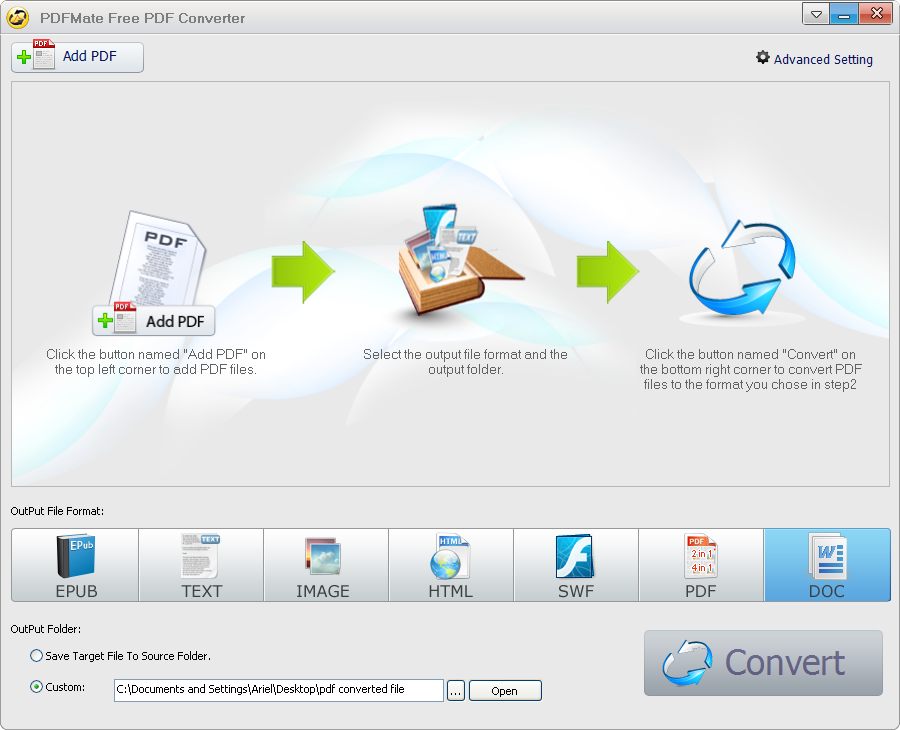
To convert PDF files to EPUB format of eBooks, you need a PDF to EPUB conversion application. Here we recommend Free PDF Converter (for Windows users) and PDFMate PDF Converter (for Mac users).
Free PDF Converter is a free but powerful application to convert PDF to other popular formats of files such as EPUB eBooks, Text documents, common images, etc.
>Simple Steps to Convert PDF to EPUB eBooks:
 Download Free PDF to EPUB Converter, install and run it. View Screenshot image.
1. Click the button "Add PDF", and add the files you want to convert.
2. On the pane of the output file formats, Choose "EPUB" as the output format:

No comments:
Post a Comment